Add-On Purchase Create
Parks & Rec > Add-On Purchase > Create
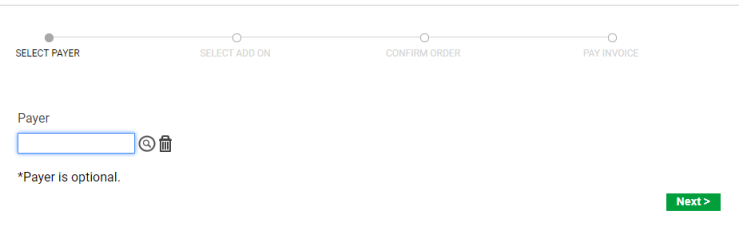
Selecting a payer, the first step in the add-on purchase process, is optional:
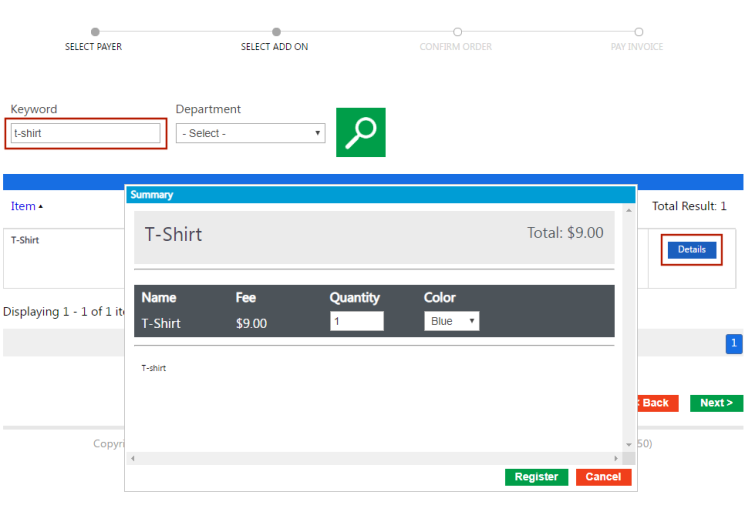
After searching for an add-on item, click the Details button to add the item to the cart and complete the payment:
To refund an add-on purchase, use the Add-On Purchase Search option to locate the record for the purchase, and click the Delete button:
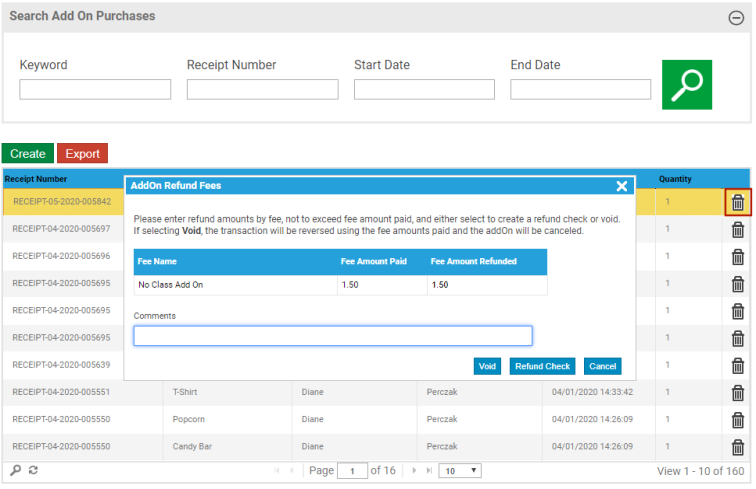
The refund options available for add-on purchases are as follows:
- Void—Reverses the transaction and cancels the registration. If you select this option, a message displays, asking you to confirm the void of the entire transaction. If you continue, the action voids the entire transaction and removes all rental registrations associated with the transaction.
- Refund Check—Submits the refund to check processing.
Add-on fees are assigned when the add-on records are created, although you may adjust the add-on fee for a specific transaction.